Best AI Image Editing Tools For 2026
 By
TopDevelopers.co
|
Jul 3, 2026 |
AI Tools
By
TopDevelopers.co
|
Jul 3, 2026 |
AI Tools
Creating high-quality visuals is no longer limited to professional designers or photographers. Modern AI image editing tools enable businesses, marketers, content creators, and entrepreneurs to edit, enhance, and generate professional images in minutes using intelligent automation. From removing backgrounds and improving image quality to replacing objects and generating entirely new visuals with text prompts, today’s AI image editors significantly reduce the time and effort required for image editing.
According to Adobe’s 2025 Creators’ Toolkit Report, 86% of creators worldwide now use creative generative AI, with image editing, enhancement, and upscaling ranking among the most common use cases, highlighting how AI has become an essential part of modern creative workflows. These advancements have made AI photo editing tools an indispensable solution for organizations looking to produce high-quality visual content at scale.
To help you choose the right solution, we’ve compared the best AI image editing tools for 2026 based on their features, pricing, ease of use, AI capabilities, and ideal business use cases.
Table of Contents
Review the Best AI-Powered Photo Editors of 2026
AI-powered photo editors have become essential tools for businesses, startups, marketers, designers, photographers, and content creators looking to create professional-quality visuals faster and more efficiently. Modern AI image editing tools now offer capabilities such as background removal, object replacement, image upscaling, generative editing, portrait enhancement, and text-to-image generation, helping users automate complex editing tasks with minimal effort. Whether you need an AI image editor for ecommerce product photography, social media content, marketing campaigns, or creative design projects, there are solutions available for every workflow and budget.
Below is a curated list of the best AI-powered photo editors for 2026, highlighting their key features, pricing, and ideal use cases to help you choose the right platform for your business or creative needs.
Adobe Photoshop
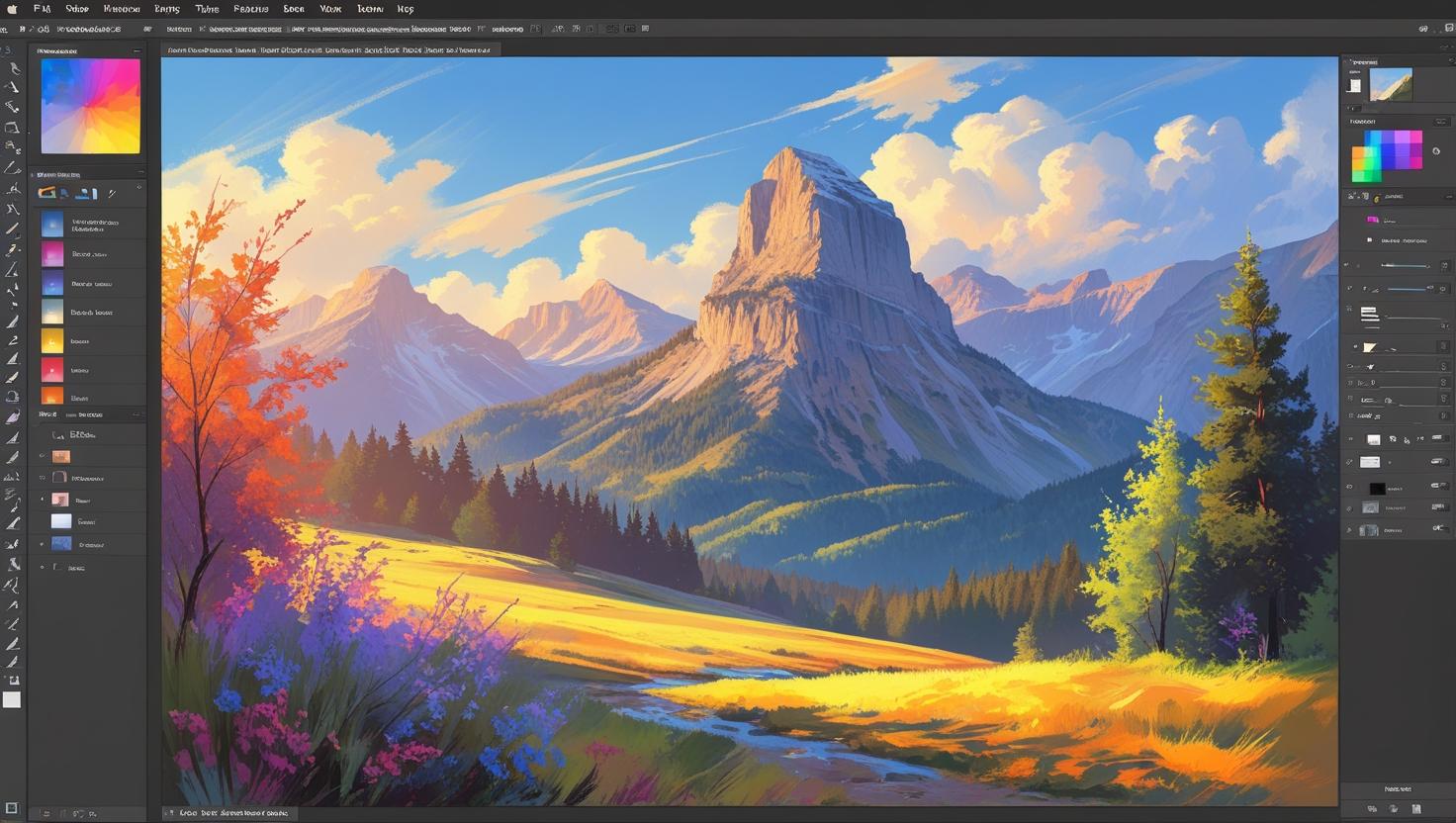
Adobe Photoshop is one of the best AI image editing tools for professionals, businesses, and creative teams that need advanced photo manipulation and design capabilities. As a leading AI image editor, it combines traditional editing features with powerful generative AI tools, making it suitable for everything from marketing creatives to product photography. Businesses can use this AI photo editing software to create social media visuals, advertising assets, website graphics, and branded content with minimal manual effort. With Adobe Firefly integration, Photoshop enables users to edit, expand, replace, and enhance images using simple text prompts, making AI for image editing more accessible than ever. Its continuous AI innovations and extensive feature set make Photoshop one of the most popular image editor AI tools for professionals in 2026.
Pricing of Adobe Photoshop
- Free Trial: 7 days available
- Photoshop Single App: Starts at ₹599/month (annual plan, billed monthly)
- Creative Cloud Photography Plan (Photoshop + Lightroom + Lightroom Classic + 1TB Storage): Starts at ₹599/month
- Creative Cloud All Apps: Starts at ₹1,199/month (promotional pricing)
Key Features of Adobe Photoshop
- AI-powered Generative Fill for adding or replacing objects
- Generative Expand to extend image backgrounds naturally
- Intelligent object removal with Content-Aware Fill
- AI background replacement and masking
- Smart selection powered by Adobe Sensei AI
- AI image enhancement for sharpening and restoration
- Non-destructive editing with layers and smart objects
- Support for RAW images, PSD, JPEG, PNG, TIFF, and more
- Cloud collaboration for creative teams
- Integration with Adobe Firefly for generative image editing
Adobe Lightroom
Adobe Lightroom is a powerful AI photo editor designed for photographers, agencies, ecommerce businesses, and marketing teams that need efficient image management and enhancement. Unlike Photoshop, Lightroom focuses on organizing, enhancing, and batch-editing large image libraries while using AI to automate repetitive editing tasks. Its AI-powered masking, adaptive presets, and intelligent subject detection significantly reduce editing time, making it one of the best AI tools for photo editing available today. Businesses handling product catalogs, real estate photography, travel content, or brand campaigns can use this AI software for image editing to maintain a consistent visual style across thousands of images. With cloud synchronization across desktop and mobile devices, Lightroom remains one of the leading AI image editing programs for professionals in 2026.
Pricing of Adobe Lightroom
- Free Trial: 7 days available
- Lightroom Plan (1TB Cloud Storage): Starts at ₹382.32/month
- Photography Plan (Lightroom + Lightroom Classic + Photoshop): Starts at ₹599/month
Key Features of Adobe Lightroom
- AI-powered subject, sky, and background masking
- One-click AI presets for quick enhancements
- Intelligent noise reduction
- AI lens blur and portrait enhancement
- Automatic image organization using AI
- Batch editing for large image collections
- Cloud-based photo storage and synchronization
- Advanced color grading and tone adjustment
- RAW photo editing support
- Mobile and desktop workflow integration
Luminar Neo
Luminar Neo is a modern AI image editing platform built for photographers, designers, marketers, and businesses looking to produce professional-quality visuals without spending hours on manual editing. The software uses artificial intelligence to automate complex editing processes such as sky replacement, portrait enhancement, object removal, and relighting, making it an excellent AI app for image editing. Its intuitive interface allows both beginners and professionals to edit images quickly while maintaining creative control. Businesses creating promotional materials, ecommerce product photos, or social media campaigns can rely on Luminar Neo as a simple AI image editing tool that delivers impressive results with minimal effort. Its growing collection of AI-powered extensions and editing tools has made it one of the top-rated AI photo editing programs in the creative industry.
Pricing of Luminar Neo
- Free Trial: Available
- Monthly Subscription: Starts at approximately $11.95/month
- Annual Subscription: Starts at approximately $69/year
- Lifetime License: Available periodically through promotional offers (pricing varies)
Key Features of Luminar Neo
- AI Enhance for automatic image optimization
- Sky AI for realistic sky replacement
- Relight AI for adjusting foreground and background lighting
- GenErase AI for removing unwanted objects
- GenSwap AI for replacing objects within images
- Portrait AI with automatic facial enhancements
- AI-powered noise reduction
- Upscale AI for improving image resolution
- Layer-based editing workflow
- Plugin support for Adobe Photoshop and Lightroom
Topaz Photo AI
Topaz Photo AI is a dedicated AI photo editing software that helps photographers, businesses, and creative professionals improve image quality with minimal manual editing. The platform combines advanced AI models for sharpening, denoising, and image upscaling, making it one of the best AI image editing tools for restoring and enhancing photos. Whether you need to improve product images for ecommerce, marketing materials, or professional photography, this AI image editor delivers consistent and high-quality results. Unlike traditional editing software, Topaz Photo AI automatically analyzes every image and recommends enhancements based on its content. Its automation capabilities and exceptional image quality make it a popular AI tool for image editing in 2026.
Pricing of Topaz Photo AI
- Free Trial: Available
- One-Time License: Starts at approximately $199
- Includes: One year of software updates
- Optional Renewal: Annual upgrade plan available after the first year
Key Features of Topaz Photo AI
- AI-powered image sharpening
- Advanced noise reduction using machine learning
- AI image upscaling without quality loss
- Automatic face recovery and enhancement
- RAW image support
- Batch processing for multiple photos
- Automatic subject detection
- Plugin support for Adobe Photoshop and Lightroom
- Standalone desktop application
- Professional-quality image restoration
PhotoRoom
PhotoRoom is one of the most popular AI photo editing tools for ecommerce businesses, startups, marketers, and content creators that need professional product images quickly. The AI image editing platform specializes in removing backgrounds, creating product mockups, and generating marketing visuals with just a few clicks. Businesses selling on marketplaces or social media can use this AI app for image editing to create high-quality product listings without hiring a designer. Its intuitive interface makes it suitable for beginners while offering advanced editing capabilities for professionals. With features designed specifically for commercial use, PhotoRoom has become one of the leading image editor with AI solutions for online businesses.
Pricing of PhotoRoom
- Free Plan: Available
- Pro Plan: Starts at approximately $89.99/year
- Teams Plan: Custom pricing based on team size
Key Features of PhotoRoom
- One-click AI background removal
- AI-generated backgrounds and scenes
- Batch editing for ecommerce catalogs
- Magic Retouch for removing unwanted objects
- AI shadows and reflections
- Product image templates
- Brand kit for consistent marketing visuals
- API access for business automation
- Mobile and desktop support
- High-resolution image exports
Remove.bg
Remove.bg is a specialized AI image editor that automatically removes image backgrounds in seconds, making it an essential solution for businesses, ecommerce stores, and digital marketers. Powered by artificial intelligence, the platform accurately detects subjects and separates them from backgrounds without requiring manual selection. This AI for editing pictures helps businesses create transparent product images, profile photos, marketing assets, and promotional graphics much faster than traditional editing methods. It also integrates with popular design applications and business workflows, making image processing more efficient. Its simplicity, speed, and accuracy have made Remove.bg one of the most trusted AI software for image editing available today.
Pricing of Remove.bg
- Free Plan: Available (low-resolution downloads)
- Pay As You Go: Starts at approximately $3 per image
- Subscription Plans: Start at approximately $8.10/month (depending on credits)
- Enterprise: Custom pricing available
Key Features of Remove.bg
- Automatic AI background removal
- High-quality transparent PNG exports
- Bulk image processing
- API integration for business workflows
- Desktop application for Windows, Mac, and Linux
- Plugins for Adobe Photoshop and other design software
- Background replacement with custom colors or images
- Fast processing within seconds
- Supports ecommerce product photography
- High-resolution image downloads
Clipdrop
Clipdrop is an innovative AI image editing platform developed to simplify creative workflows for businesses, designers, marketers, and content creators. The platform offers a complete suite of AI tools for photo editing, including background removal, object cleanup, image upscaling, relighting, and generative image editing. Users can easily modify existing visuals or create entirely new assets using text prompts, making it a versatile AI for modifying images. Its browser-based interface eliminates the need for complex installations while delivering professional-quality results. As one of the fastest-growing AI image editing programs, Clipdrop is an excellent choice for businesses seeking efficient visual content creation.
Pricing of Clipdrop
- Free Plan: Available with limited usage
- Pro Plan: Starts at approximately $15/month
Key Features of Clipdrop
- AI Cleanup for removing unwanted objects
- AI background removal
- Image upscaling and enhancement
- Generative Fill using text prompts
- AI relighting tools
- Image uncrop feature
- Text-to-image generation
- Background replacement
- Web-based editing platform
- Fast AI processing
Runway
Runway is a powerful AI image editing platform that combines advanced image editing with AI-powered video generation, making it ideal for businesses, creative agencies, and marketing teams. In addition to editing photos, Runway enables users to remove backgrounds, erase objects, expand images, and generate visual content using simple prompts. Its collaborative workspace and cloud-based infrastructure make it a preferred AI photo software for teams managing large creative projects. Businesses looking for AI to edit images, improve marketing campaigns, or create branded visual assets can significantly speed up production with Runway. Its continuous AI innovations have made it one of the most popular AI image software solutions for creative professionals in 2026.
Pricing of Runway
- Free Plan: Available
- Standard Plan: Starts at approximately $15/user/month
- Pro Plan: Starts at approximately $35/user/month
- Enterprise Plan: Custom pricing available
Key Features of Runway
- AI-powered image editing and enhancement
- Generative Fill and image expansion
- Background removal and replacement
- Object removal using AI
- Text-to-image generation
- Cloud-based collaboration
- Image-to-video capabilities
- Professional editing workspace
- High-resolution exports
- Team collaboration and asset management
Topaz Photo AI
Topaz Photo AI is a dedicated AI photo editing software that helps photographers, businesses, and creative professionals improve image quality with minimal manual editing. The platform combines advanced AI models for sharpening, denoising, and image upscaling, making it one of the best AI image editing tools for restoring and enhancing photos. Whether you need to improve product images for ecommerce, marketing materials, or professional photography, this AI image editor delivers consistent and high-quality results. Unlike traditional editing software, Topaz Photo AI automatically analyzes every image and recommends enhancements based on its content. Its automation capabilities and exceptional image quality make it a popular AI tool for image editing in 2026.
Pricing of Topaz Photo AI
- Free Trial: Available
- One-Time License: Starts at approximately $199
- Includes: One year of software updates
- Optional Renewal: Annual upgrade plan available after the first year
Key Features of Topaz Photo AI
- AI-powered image sharpening
- Advanced noise reduction using machine learning
- AI image upscaling without quality loss
- Automatic face recovery and enhancement
- RAW image support
- Batch processing for multiple photos
- Automatic subject detection
- Plugin support for Adobe Photoshop and Lightroom
- Standalone desktop application
- Professional-quality image restoration
PhotoRoom
PhotoRoom is one of the most popular AI photo editing tools for ecommerce businesses, startups, marketers, and content creators that need professional product images quickly. The AI image editing platform specializes in removing backgrounds, creating product mockups, and generating marketing visuals with just a few clicks. Businesses selling on marketplaces or social media can use this AI app for image editing to create high-quality product listings without hiring a designer. Its intuitive interface makes it suitable for beginners while offering advanced editing capabilities for professionals. With features designed specifically for commercial use, PhotoRoom has become one of the leading image editor with AI solutions for online businesses.
Pricing of PhotoRoom
- Free Plan: Available
- Pro Plan: Starts at approximately $89.99/year
- Teams Plan: Custom pricing based on team size
Key Features of PhotoRoom
- One-click AI background removal
- AI-generated backgrounds and scenes
- Batch editing for ecommerce catalogs
- Magic Retouch for removing unwanted objects
- AI shadows and reflections
- Product image templates
- Brand kit for consistent marketing visuals
- API access for business automation
- Mobile and desktop support
- High-resolution image exports
Remove.bg
Remove.bg is a specialized AI image editor that automatically removes image backgrounds in seconds, making it an essential solution for businesses, ecommerce stores, and digital marketers. Powered by artificial intelligence, the platform accurately detects subjects and separates them from backgrounds without requiring manual selection. This AI for editing pictures helps businesses create transparent product images, profile photos, marketing assets, and promotional graphics much faster than traditional editing methods. It also integrates with popular design applications and business workflows, making image processing more efficient. Its simplicity, speed, and accuracy have made Remove.bg one of the most trusted AI software for image editing available today.
Pricing of Remove.bg
- Free Plan: Available (low-resolution downloads)
- Pay As You Go: Starts at approximately $3 per image
- Subscription Plans: Start at approximately $8.10/month (depending on credits)
- Enterprise: Custom pricing available
Key Features of Remove.bg
- Automatic AI background removal
- High-quality transparent PNG exports
- Bulk image processing
- API integration for business workflows
- Desktop application for Windows, Mac, and Linux
- Plugins for Adobe Photoshop and other design software
- Background replacement with custom colors or images
- Fast processing within seconds
- Supports ecommerce product photography
- High-resolution image downloads
Clipdrop
Clipdrop is an innovative AI image editing platform developed to simplify creative workflows for businesses, designers, marketers, and content creators. The platform offers a complete suite of AI tools for photo editing, including background removal, object cleanup, image upscaling, relighting, and generative image editing. Users can easily modify existing visuals or create entirely new assets using text prompts, making it a versatile AI for modifying images. Its browser-based interface eliminates the need for complex installations while delivering professional-quality results. As one of the fastest-growing AI image editing programs, Clipdrop is an excellent choice for businesses seeking efficient visual content creation.
Pricing of Clipdrop
- Free Plan: Available with limited usage
- Pro Plan: Starts at approximately $15/month
Key Features of Clipdrop
- AI Cleanup for removing unwanted objects
- AI background removal
- Image upscaling and enhancement
- Generative Fill using text prompts
- AI relighting tools
- Image uncrop feature
- Text-to-image generation
- Background replacement
- Web-based editing platform
- Fast AI processing
Runway
Runway is a powerful AI image editing platform that combines advanced image editing with AI-powered video generation, making it ideal for businesses, creative agencies, and marketing teams. In addition to editing photos, Runway enables users to remove backgrounds, erase objects, expand images, and generate visual content using simple prompts. Its collaborative workspace and cloud-based infrastructure make it a preferred AI photo software for teams managing large creative projects. Businesses looking for AI to edit images, improve marketing campaigns, or create branded visual assets can significantly speed up production with Runway. Its continuous AI innovations have made it one of the most popular AI image software solutions for creative professionals in 2026.
Pricing of Runway
- Free Plan: Available
- Standard Plan: Starts at approximately $15/user/month
- Pro Plan: Starts at approximately $35/user/month
- Enterprise Plan: Custom pricing available
Key Features of Runway
- AI-powered image editing and enhancement
- Generative Fill and image expansion
- Background removal and replacement
- Object removal using AI
- Text-to-image generation
- Cloud-based collaboration
- Image-to-video capabilities
- Professional editing workspace
- High-resolution exports
- Team collaboration and asset management
Magnific AI
Magnific AI is an advanced AI image editing tool that specializes in image upscaling and enhancement, making it a preferred choice for businesses, designers, photographers, and digital artists. Unlike traditional upscaling software, it intelligently adds realistic details while increasing image resolution, making low-quality images suitable for professional use. Businesses can use this AI image editor to improve product photos, marketing creatives, architectural renders, illustrations, and branding assets without compromising visual quality. Its prompt-based editing workflow gives users greater control over the final output, allowing them to refine images based on specific creative requirements. With its impressive image enhancement capabilities, Magnific AI has quickly become one of the most talked-about AI image editing programs for high-resolution content creation.
Pricing of Magnific AI
- Starter Plan: Starts at approximately $39/month
- Pro Plan: Starts at approximately $99/month
- Business Plan: Starts at approximately $299/month
Key Features of Magnific AI
- AI-powered image upscaling with realistic detail generation
- Prompt-guided image enhancement
- Advanced photo restoration
- High-resolution image generation
- Creative control through configurable AI settings
- Support for illustrations, portraits, product photos, and artwork
- Noise reduction while preserving image details
- Cloud-based image processing
- Professional-quality exports
- Suitable for commercial and creative projects
Krea AI
Krea AI is a modern AI image editing platform that combines real-time image generation and editing capabilities for designers, marketers, startups, and creative professionals. The platform allows users to edit images using text prompts, making AI for modifying images faster and more intuitive than traditional editing workflows. Businesses can use Krea AI to generate marketing visuals, enhance existing images, create product concepts, and experiment with new creative ideas in real time. Its responsive editing interface and generative AI capabilities reduce production time while maintaining high-quality outputs. As one of the latest AI photo software solutions, Krea AI is becoming increasingly popular among professionals looking for faster visual content creation.
Pricing of Krea AI
- Free Plan: Available with limited generations
- Basic Plan: Starts at approximately $10/month
- Pro Plan: Starts at approximately $35/month
- Max Plan: Higher-tier plans available for heavy usage
Key Features of Krea AI
- Real-time AI image generation and editing
- Text-guided image modifications
- AI image upscaling
- Background editing and replacement
- Style transfer and visual customization
- Image enhancement with AI
- Creative prompt optimization
- Cloud-based editing workflow
- Commercial usage support
- Fast rendering and export options
OpenArt
OpenArt is an AI image editing platform that enables businesses, marketers, designers, and content creators to generate and edit professional-quality visuals using artificial intelligence. In addition to AI image generation, the platform provides editing capabilities that allow users to modify images, replace backgrounds, expand compositions, and improve visual quality with simple prompts. Businesses can use OpenArt to create promotional graphics, advertising creatives, product visuals, and concept artwork without requiring advanced design expertise. Its intuitive interface makes AI to edit images accessible for beginners while offering enough flexibility for experienced professionals. OpenArt continues to gain popularity as one of the leading AI tools for photo editing and creative image production.
Pricing of OpenArt
- Free Plan: Available
- Essential Plan: Starts at approximately $14/month
- Advanced Plan: Starts at approximately $29/month
- Infinite Plan: Starts at approximately $56/month
Key Features of OpenArt
- AI-powered image editing
- Text-to-image generation
- AI inpainting and object replacement
- Background removal and replacement
- Image expansion using generative AI
- Style transfer and artistic effects
- Image upscaling and enhancement
- Prompt customization tools
- Cloud-based creative workspace
- Commercial licensing options
Playground AI
Playground AI is a browser-based AI image editor that combines image generation, editing, and design tools into a single platform for businesses and creative professionals. Users can upload existing images and edit them with AI-powered prompts, making it easy to enhance visuals, remove objects, replace backgrounds, or generate entirely new compositions. The platform is well suited for startups, agencies, and marketers that need high-quality creative assets for advertising, social media, and branding campaigns. As an image editor with AI, Playground AI simplifies complex editing tasks while giving users complete creative flexibility. Its generous free plan and collaborative editing capabilities have helped it become one of the newer AI image editing tools gaining traction in 2026.
Pricing of Playground AI
- Free Plan: Available
- Pro Plan: Starts at approximately $15/month
- Turbo Plan: Starts at approximately $45/month
Key Features of Playground AI
- AI-powered image editing with text prompts
- Object removal and replacement
- Background editing
- Image expansion using generative AI
- Text-to-image generation
- Collaborative cloud workspace
- Commercial image creation
- Template-based creative workflows
- High-resolution exports
- Browser-based accessibility
Leonardo AI
Leonardo AI is a comprehensive AI image editor that combines AI image generation with powerful editing capabilities for businesses, game studios, marketers, and creative teams. The platform enables users to edit existing images, generate new artwork, expand scenes, and refine visuals using natural language prompts. Businesses can leverage Leonardo AI to produce marketing creatives, product concepts, website graphics, and promotional assets while significantly reducing production time. Its flexible AI workflows support everything from photorealistic images to artistic illustrations, making it suitable for a wide range of commercial applications. With continuous feature updates and advanced editing capabilities, Leonardo AI has established itself as one of the best AI image editing tools for professional content creation.
Pricing of Leonardo AI
- Free Plan: Available with daily AI tokens
- Apprentice Plan: Starts at approximately $12/month
- Artisan Plan: Starts at approximately $30/month
- Maestro Plan: Starts at approximately $60/month
Key Features of Leonardo AI
- AI image editing using text prompts
- Generative Fill and image expansion
- Background removal and replacement
- AI-powered canvas editor
- Image upscaling and enhancement
- Text-to-image generation
- Custom AI models for consistent outputs
- Commercial licensing support
- Cloud-based asset management
- Team collaboration features
Adobe Firefly
Adobe Firefly is a generative AI image editing platform that enables businesses, designers, marketers, and content creators to create and modify images using simple text prompts. Built into the Adobe Creative Cloud ecosystem, Firefly makes AI for image editing more accessible by allowing users to generate new visuals, replace objects, extend backgrounds, and apply creative effects with minimal effort. Businesses can use this AI image editor to produce advertising creatives, social media graphics, website banners, and branded marketing assets while maintaining consistent visual quality. Its commercial-safe AI models are trained on licensed and public domain content, making it a trusted solution for professional workflows. As one of the leading AI tools for photo editing, Adobe Firefly continues to redefine how businesses create and edit digital content.
Pricing of Adobe Firefly
- Free Plan: Available with limited monthly generative credits
- Firefly Standard: Starts at approximately ₹797.68/month
- Firefly Pro: Starts at approximately ₹2,394.22/month
- Included With: Select Adobe Creative Cloud subscriptions
Key Features of Adobe Firefly
- Text-to-image generation
- Generative Fill for adding or replacing objects
- Generative Expand for extending images
- AI-powered background generation
- Text effects using generative AI
- Generative Recolor for vector graphics
- Commercial-safe AI models
- Integration with Adobe Photoshop, Illustrator, and Express
- Cloud-based editing workflow
- High-resolution image exports
ChatGPT
ChatGPT has evolved into a powerful AI image editing tool by combining conversational AI with advanced image generation and editing capabilities. Businesses, entrepreneurs, marketers, and creative professionals can use ChatGPT to edit images by simply describing the desired changes in natural language, eliminating the need for complex editing software. Whether you want AI to modify images, remove objects, replace backgrounds, improve image quality, or create marketing visuals from scratch, ChatGPT delivers fast and intuitive results. The platform also helps users brainstorm creative concepts, generate design ideas, and refine visual assets for websites, advertisements, presentations, and social media campaigns. With its growing popularity and seamless image editing experience, ChatGPT has become one of the most talked-about AI image editing tools and AI photo editing apps for businesses in 2026.
Pricing of ChatGPT
- Free Plan: Available with limited image generation and editing capabilities
- ChatGPT Plus: Starts at $20/month
- ChatGPT Pro: Starts at $200/month
- Team and Enterprise Plans: Custom pricing available
Key Features of ChatGPT
- Natural language AI image editing
- AI-powered object addition and removal
- Background replacement and scene modification
- Image expansion using generative AI
- Text-to-image generation
- Photo enhancement and creative transformations
- Logo, marketing, and branding asset creation
- Supports iterative editing through conversational prompts
- High-quality visual generation for business use
- Integrated with GPT-powered creative assistance
Canva AI Photo Editor
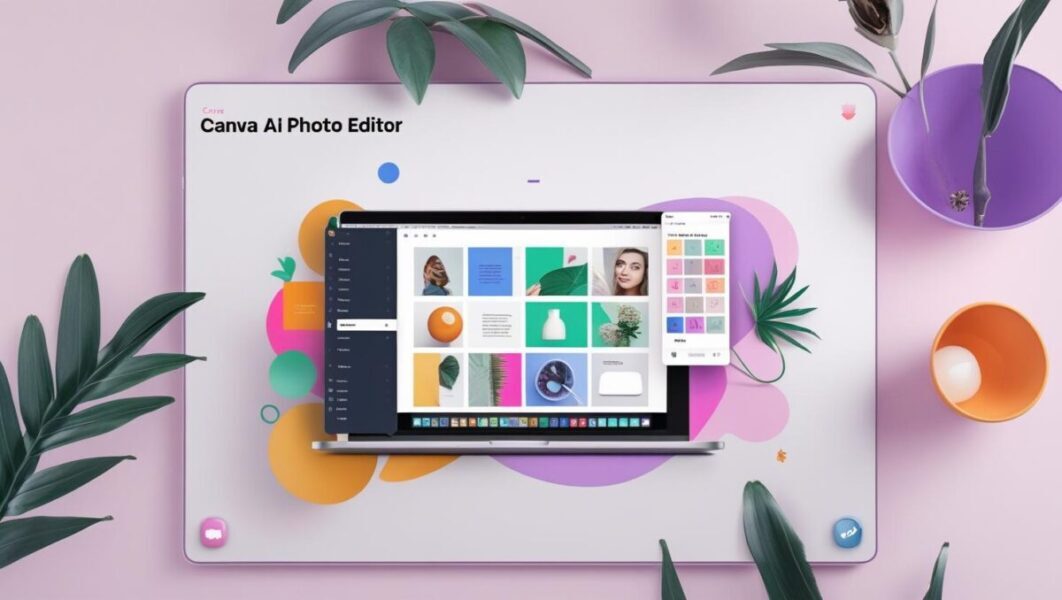
Features like background removal, object insertion, and picture retouching let Canva’s AI-powered photo editor streamline photo upgrades. It is a flexible tool for producing social media posts, presentations, and more, as it is beginner-friendly and fits perfectly with its design suite.
Canva AI Pricing:
- Free edition: The free edition has limited features.
- Premium: Pro plans are priced at $15 per month for one user, while team plans cost $10 per month for three users; please contact us for Custom Enterprise plans that offer all-in-one solutions.
Key Features of Canva AI:
- The tool features an AI-powered background remover.
- The tool allows for one-click enhancement of images.
- The tool boasts an extensive library of templates.
- This feature is accessible on both desktop and mobile platforms.
- It facilitates real-time collaboration on designs.
Prisma

Applying methods influenced by outstanding painters like Van Gogh and Picasso, Prisma employs artificial intelligence to turn everyday images into creative masterpieces. For users wishing to create creative masterpieces out of their images, it’s fantastic.
Prisma Pricing:
- Free edition: The free edition comes with basic tools.
- Premium: $7.99/month or $29.99/year.
Key Features of Prisma:
- There are more than three hundred creative filters available.
- Artificial intelligence drives the style transfer.
- The application is also compatible with iOS and Android platforms.
- The platform offers a wide range of artistic effects.
- The user interface is easy to use.
Fotor
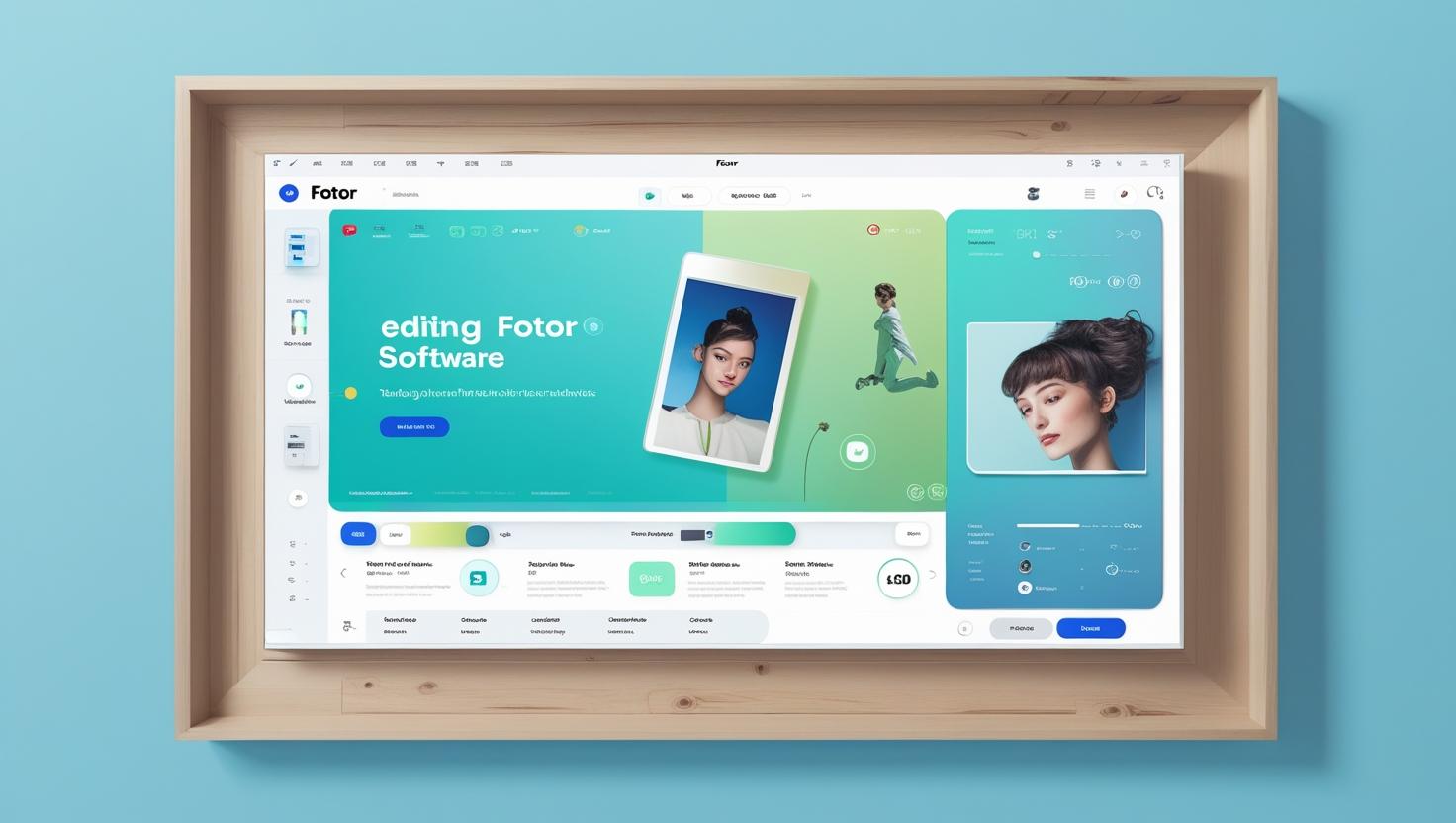
Fotor offers artificial intelligence-powered picture editing, requiring only a few clicks to enhance images. For customers who want quick, high-quality results, it is a wonderful choice because it has tools for background removal, portrait retouching, and batch processing.
Fotor Pricing:
- Free edition: The Fotor Basic plan is free but has restricted and simple features.
- Premium: The monthly Fotor Pro is $8.99; the Fotor Pro+ is $19.99.
Key Features of Fotor:
- The primary feature is the AI background remover.
- The feature allows for one-click enhancement of images.
- The tools for portrait retouching are also available.
- Both web-based and mobile versions are available.
- The software offers a wide range of advanced photo effects and filters.
Pixlr Express

Easy-to-use online photo editor Pixlr Express provides one-click picture improvements and background removal capabilities driven by artificial intelligence. For consumers seeking quick changes without significant editing knowledge, it is perfect.
Pixlr Express Pricing:
- Free edition: The free version includes advertising. And the Basic+ plan is only $0.99 a month.
- Premium: The pricing options are as follows: the premium plan costs $4.99 per month or $29.99 annually, while the team plan for five premium seats is priced at $9.91.
Key Features Pixlr Express:
- AI-powered background removal is one of the key features.
- The feature allows for one-click enhancement of images.
- This feature is accessible on both web and mobile platforms.
- You can access a variety of editing tools for free.
- The interface is simple and intuitive.
PicWish AI Photo Editor
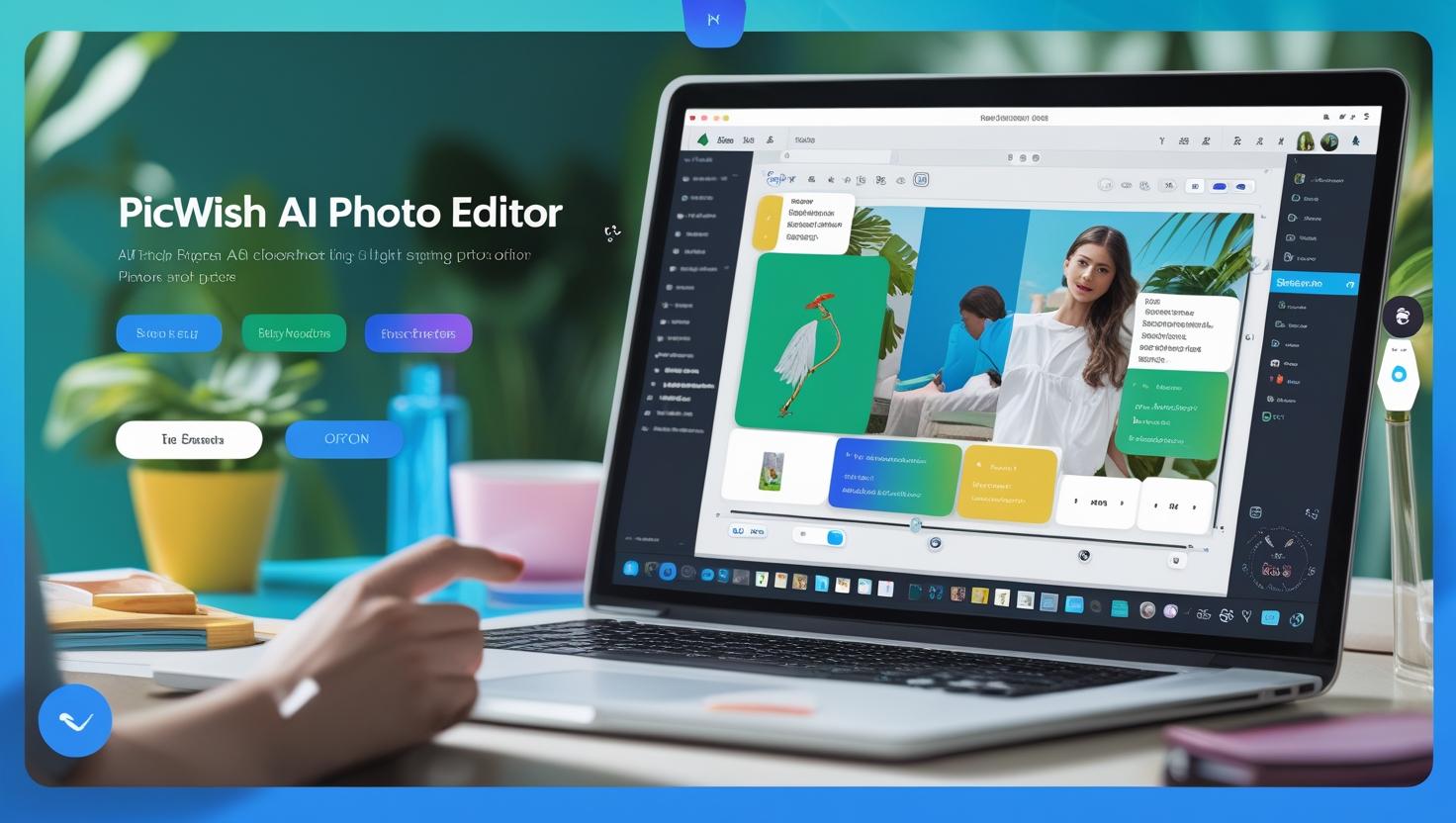
PicWish employs artificial intelligence for picture centering, upscaling, photo repair, and background elimination. For eCommerce vendors and influencers who must rapidly enhance photographs, its quick, AI-driven workflow makes it a perfect fit.
PicWish AI Photo Editor Pricing:
- Free edition: A free version is available.
- Premium: Paid plans start at $5.99/wk billed weekly or $9.99/mo billed monthly.
Key Features PicWish AI Photo Editor:
- AI removes backgrounds and erases objects.
- The tool also facilitates the upscaling of images.
- The system processes images quickly and produces high-quality results.
- The tool is accessible via a web-based interface.
- User-friendly interface.
Luminar NEO
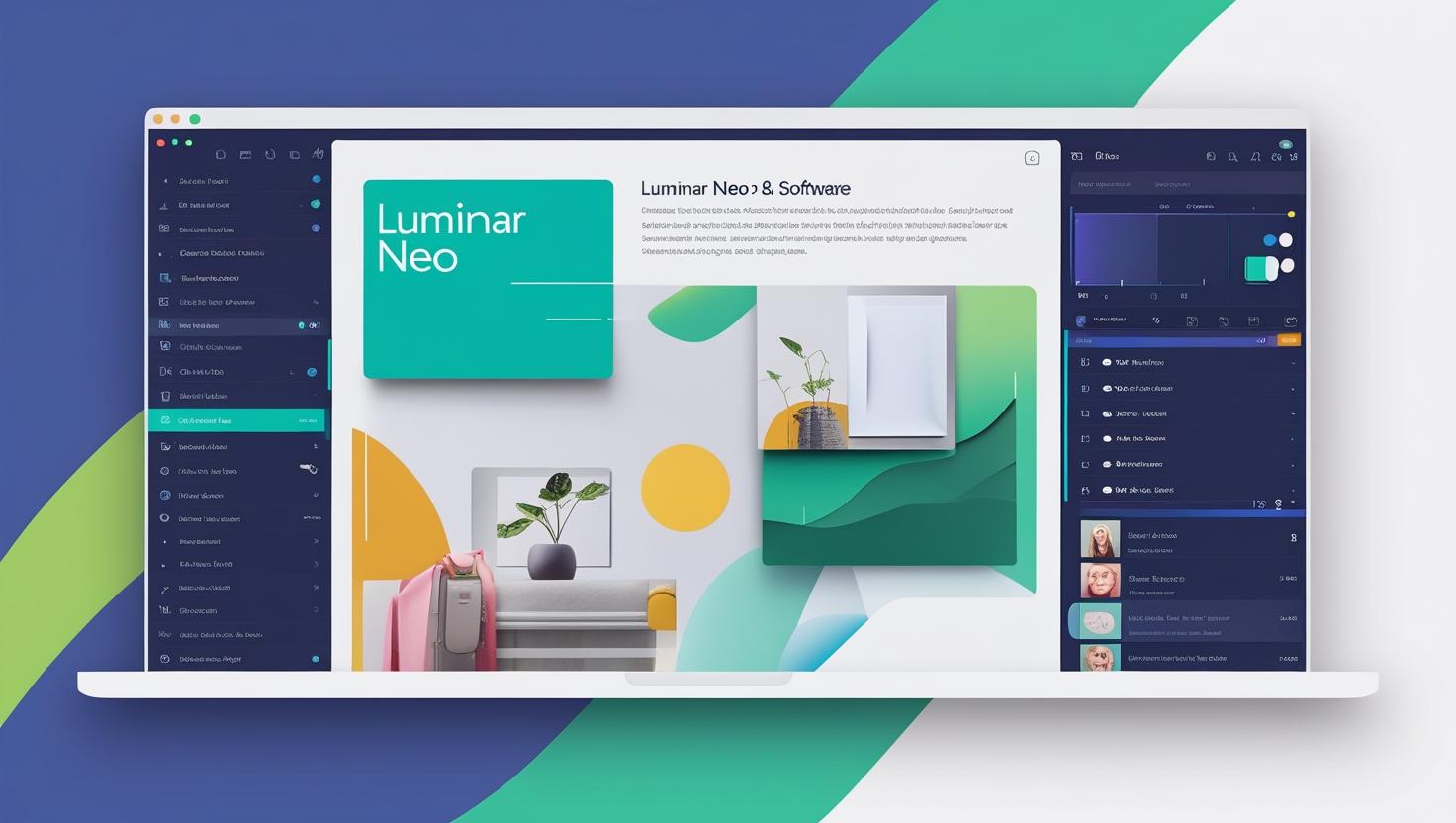
Designed for professional photographers and hobbyists, Luminar NEO is a powerful AI-powered picture editor. To make difficult adjustments simple, it has creative capabilities such as light correction, portrait retouching, and AI sky replacement.
Luminar NEO Pricing:
- 12-month subscription: $79/year or $9.95/month.
- One-time payment: $139, lifetime perpetual license.
Key Features Luminar NEO:
- The product offers AI sky replacement and portrait retouching as key features.
- The editing process utilizes layers and masks.
- Non-destructive editing.
- It is compatible with RAW file formats.
- Available for Windows and Mac.
- 30-days money back guarantee
Movavi Photo Editor
With tools like object removal, background editing, and one-click improvements, the adaptable AI-powered Movavi Photo Editor makes editing pictures easier. For photographers looking for quality images without a significant learning curve and casual users, it’s a fantastic choice.
Movavi Photo Editor Pricing:
- Premium plan: Photo Editor at $49.95 for a one-year license, Photo Editor + Slideshow Maker at $167.95 and Photo Editor + Video Suite at $233.95 for a 1-year subscription
- Free edition: Bundle deals are available.
Key Features Movavi Photo Editor:
- AI removes objects and backgrounds.
- You can enhance photos with just one click.
- It is compatible with both Windows and Mac operating systems.
- The interface is intuitive, making it suitable for beginners.
- It offers advanced editing tools for both portraits and landscapes.
Imagen
Designed for photographers, Imagen is an artificial intelligence application with batch editing features that examine prior adjustments to provide a customized editing style. Experts can save time by automating tedious chores with Imagen.
Imagen Pricing:
- Monthly subscription: $7/month.
- Premium plan: Pay-as-you-go plan at US$0.05/picture; annual plans at US$67.5/month; Enterprise Custom plan 100k+ photographs/year
Key Features of Imagen:
- AI-powered batch photo editing is a key feature.
- Learn your unique editing style.
- It seamlessly integrates with Adobe Lightroom.
- It is an excellent tool for editing large-scale photos.
- The automated workflows help to save time.
Picsart

Popular for its simplicity of use, social network integration, and creative features, Picsart is an artificial intelligence-driven photo editor It comprises one-click improvements, background removal driven by artificial intelligence, and a big toolkit of filters and effects for producing striking images.
Picsart Pricing:
- Free edition: There is a free plan available.
- Premium plan: The Picsart Plus plan, which elevates your designs, is available for $5 per month, while the Picsart Pro plan, designed to maximize creative efficiency, costs $7 per month. You can also integrate the custom plan, Picsart Enterprise, into your workflow.
Key Features of Picsart:
- You can remove and retouch backgrounds using AI.
- The product also includes social media templates and filters.
- The platform is accessible on the web, iOS, and Android platforms.
- The platform offers collaborative design features.
- It offers free access along with premium options that require payment.
Let’s Enhance
Designed specifically for picture upscaling and quality improvement, Let’s Enhance is an AI-powered tool. Perfect for printing, e-commerce, and marketing, it can raise picture resolution while keeping details.
Let’s Enhance Pricing:
- Free edition: There is a free plan available.
- Premium plan: Plans for payment begin at $12/month for 100 credits, $32/month for 300 credits, and $45/month for 500 credits.
Key Features of Let’s Enhance:
- AI-powered image upscaling is a key feature.
- It improves the quality and resolution of images.
- Adobe specifically designed this technology for use in e-commerce and digital marketing.
- The system processes images quickly and produces high-quality output.
- Web-based interface.
AfterShoot
Designed to filter through big picture collections and pinpoint the finest photos, AfterShoot is an artificial intelligence-powered culling tool for professional photographers. It’s a great tool for portrait and event photographers as it evaluates focus, composition, and facial emotions using AI.
AfterShoot Pricing:
- Free edition: Pricing starts at $15/month or $120/year.
- Premium plan: Selects the Unlimited Culling Only Plan $15 per month, billed monthly, Essentials is Edit with Aftershoot’s Pre-built Marketplace Styles $25 per month, Pro Unlimited Culling and Editing—with your own Personal AI Editing Profile, $48 per month, and Max Perfect for High Volume Photography The Max Perfect for High Volume Photography package costs $72 per month.
Key Features of AfterShoot:
- AI-powered photo culling is a key feature.
- The culling criteria can be customized.
- Integrates with Adobe Lightroom.
- It saves time when dealing with large photo collections.
- It streamlines the workflow for professional photographers.
Lensa
Designed for improving portraiture, Lensa is a mobile-first, AI-powered picture editor. It shines in face retouching; it provides one-tap fixes for blemish removal, skin smoothing, and lighting adjustment. Because Lensa’s AI features are easy to use, influencers and casual users trying to enhance selfies and pictures with professional-quality edits turn to it first.
Lensa Pricing:
- Free edition: Lensa offers a free version with restricted features.
- Premium plan: $4.99/month or $29.99/year.
Key Features of Lensa:
- The premium plan offers AI-powered portrait retouching.
- The features include skin smoothing, lighting adjustments, and blemish removal.
- One-click enhancements facilitate rapid editing.
- This feature is accessible on both iOS and Android platforms.
- This feature is particularly beneficial for creating content for social media platforms.
Key Benefits of AI Photo Editors in 2026
AI photo editors have evolved beyond simple image enhancement and now offer intelligent features that automate complex editing tasks with remarkable accuracy. Businesses, marketers, photographers, and content creators use AI image editing tools to improve productivity, create professional-quality visuals, and reduce the time spent on manual editing. From background removal and object replacement to image upscaling and generative editing, modern AI image editors help users produce high-quality content with minimal effort. As AI technology continues to advance, these platforms are becoming essential for businesses looking to streamline creative workflows and maintain consistent visual branding.
Below are some of the key benefits of using AI photo editors in 2026.
- Faster Editing Through Automation: AI image editing tools automate time-consuming tasks such as background removal, object replacement, color correction, image enhancement, and retouching, allowing businesses and creators to produce high-quality visuals in minutes instead of hours.
- Easy for Every Skill Level: Modern AI photo editors feature intuitive interfaces and prompt-based editing, making it easy for beginners, marketers, entrepreneurs, and professional designers to edit images without advanced technical expertise.
- Advanced AI-Powered Features: Today’s AI image editors go beyond basic photo enhancement by offering capabilities such as generative fill, image expansion, object removal, AI upscaling, portrait enhancement, background generation, and text-to-image creation.
- Cost-Effective Content Creation: Many AI photo editing tools provide free plans, affordable subscriptions, or pay-as-you-go pricing, enabling startups, small businesses, and enterprises to create professional-quality visuals while reducing design and production costs.
- Improved Creativity and Productivity: AI assists users with creative suggestions, realistic image modifications, artistic styles, and automated design workflows, helping marketing teams and content creators produce more engaging visual content at scale.
- Consistent Brand Visuals: Businesses can maintain a consistent brand identity by using AI to apply uniform colors, backgrounds, lighting, and editing styles across product images, social media posts, advertisements, and marketing materials.
- Scalable for Business Workflows: Many leading AI image editing platforms support batch processing, cloud collaboration, API integrations, and team workspaces, making them ideal for managing large volumes of images efficiently.
Comparison of Top AI Photo Editors in 2026
Choosing the right AI image editing tool depends on your editing requirements, budget, and workflow. While some AI photo editors focus on professional image manipulation, others are designed for ecommerce, marketing, content creation, or quick online edits. Here’s how some of the best AI image editing tools for 2026 compare:
- Adobe Photoshop: Adobe Photoshop remains the industry standard AI image editor, offering advanced features such as Generative Fill, Generative Expand, AI-powered object removal, smart masking, and seamless integration with Adobe Firefly. It is best suited for professional designers, agencies, photographers, and businesses requiring complete creative control.
- Luminar Neo: Luminar Neo is ideal for photographers and creative professionals looking for AI-powered portrait enhancement, sky replacement, relighting, image upscaling, and object removal. Its intuitive interface makes advanced AI photo editing accessible to both beginners and experienced users.
- Topaz Photo AI: Topaz Photo AI specializes in image enhancement, delivering industry-leading AI sharpening, noise reduction, face recovery, and image upscaling. It is an excellent choice for photographers and businesses that frequently restore or improve low-quality images.
- Adobe Firefly & ChatGPT: These generative AI platforms simplify AI for image editing by allowing users to edit images using natural language prompts. They excel at generating new visuals, replacing objects, expanding backgrounds, and creating marketing assets, making them valuable tools for businesses, marketers, and content creators.
- PhotoRoom & Pixelcut: Both platforms are designed primarily for ecommerce businesses and online sellers. They offer AI-powered background removal, product photo enhancement, batch editing, and ready-to-use templates that help businesses create professional product images quickly.
- Runway, Leonardo AI & OpenArt: These AI image editing platforms combine image generation with advanced editing capabilities such as object replacement, image expansion, background editing, and prompt-based modifications. They are well suited for creative agencies, startups, game developers, and marketing teams.
- Photopea, Pixlr & BeFunky: Businesses and individuals looking for a free image editor online or affordable browser-based editing solution can choose these platforms. They provide AI-powered editing features, background removal, image enhancement, and graphic design capabilities without requiring expensive software.
- Remove.bg & Clipdrop: These specialized AI image editors focus on automating repetitive editing tasks such as background removal, object cleanup, image enhancement, and quick modifications. They integrate easily into business workflows and significantly reduce manual editing time.
Simplify Your Image Editing
Photo editing is becoming more creative, practical, and easily available as artificial intelligence technology develops. Every tool discussed in this guide—from the industry-leading AI capabilities of Adobe Photoshop to more basic, user-friendly choices like Canva and Fotor—offers special functionality to satisfy various editing demands. AI development companies play a significant role in driving these advancements, constantly pushing the boundaries of what’s possible with AI in image editing. These AI-powered editors are invaluable for photographers, marketers, and social media influencers alike, as they can significantly reduce the time and effort required to create stunning photographs.
Selecting the correct AI image editing tool for your workflow can help you keep ahead in the hectic realm of digital content production and improve the quality of your images. There’s an AI picture editor catered to your demand, whether your search is for quick, social media-ready improvements or professional-grade adjustments.
Final Thoughts
AI image editing tools have transformed how businesses, marketers, designers, photographers, and content creators produce high-quality visuals. From advanced AI image editors like Adobe Photoshop and Luminar Neo to ecommerce-focused platforms such as PhotoRoom and Pixelcut, today’s solutions offer everything from intelligent background removal and image enhancement to generative editing and text-to-image creation. Businesses can also leverage innovative platforms like Adobe Firefly, ChatGPT, Runway, and Leonardo AI to accelerate creative workflows while maintaining professional-quality results.
The best AI photo editing software ultimately depends on your specific requirements. If you need complete creative control for professional projects, Adobe Photoshop remains the industry benchmark. Businesses managing product photography and online catalogs may benefit more from PhotoRoom or Remove.bg, while marketers and creative teams can streamline content production with ChatGPT, Adobe Firefly, or Runway. For photographers seeking advanced image enhancement and restoration, Luminar Neo and Topaz Photo AI continue to be among the strongest choices.
As AI continues to evolve, image editing is becoming faster, more accessible, and increasingly intelligent. Whether you’re a startup creating marketing campaigns, an ecommerce business optimizing product images, or an enterprise managing large-scale creative projects, investing in the right AI image editing platform can significantly improve productivity, reduce editing time, and enhance the overall quality of your visual content. Evaluate your budget, workflow, collaboration needs, and feature requirements to choose the AI image editor that best supports your business goals in 2026 and beyond.
FAQs
What are the best AI image editing tools to use in 2026?
Some of the best AI image editing tools in 2026 include Adobe Photoshop, Adobe Lightroom, Luminar Neo, Topaz Photo AI, PhotoRoom, Runway, Adobe Firefly, ChatGPT, Leonardo AI, Pixelcut, Clipdrop, Remove.bg, OpenArt, Krea AI, Playground AI, and Photopea. These AI image editors offer features such as AI-powered image enhancement, background removal, object replacement, image upscaling, generative editing, and text-to-image creation. The best choice depends on your specific needs, whether you’re editing product photos, creating marketing assets, enhancing professional photography, or generating AI-powered visual content for your business.
How do AI image editors improve the editing workflow?
AI image editors streamline the editing workflow by automating repetitive and time-consuming tasks such as background removal, object selection, image enhancement, color correction, portrait retouching, and image upscaling. Instead of performing these edits manually, users can apply AI-powered tools or simple text prompts to achieve professional-quality results in a fraction of the time. Many AI image editing tools also support batch processing, cloud collaboration, and generative editing, allowing businesses, marketers, photographers, and creative teams to produce consistent, high-quality visuals more efficiently while reducing overall editing time and costs.
Are AI-powered image editing tools suitable for beginners?
Yes, most AI-powered image editing tools are designed to be beginner-friendly while still offering advanced capabilities for professionals. Many AI image editors feature intuitive interfaces, one-click enhancements, drag-and-drop editing, and prompt-based commands that simplify complex tasks such as background removal, object replacement, image enhancement, and portrait retouching. Beginners can create professional-quality visuals without prior editing experience, while businesses and experienced designers can take advantage of advanced AI features for faster and more efficient creative workflows.
Can AI image editing tools replace traditional photo editing software?
AI image editing tools can replace traditional photo editing software for many everyday editing tasks, including background removal, image enhancement, object removal, portrait retouching, and content generation. However, professional designers, photographers, and creative agencies often still rely on traditional software such as Adobe Photoshop for advanced layer-based editing, detailed compositing, and precise creative control. For most businesses and content creators, combining AI image editing tools with traditional editing software provides the best balance of speed, automation, and flexibility.
What features should you look for in an AI image editing tool in 2026?
When choosing an AI image editing tool in 2026, look for features such as AI-powered image enhancement, background removal, object replacement, generative editing, image upscaling, portrait retouching, text-to-image generation, and batch processing. Businesses should also consider cloud collaboration, API integrations, file format compatibility, ease of use, security, and pricing. Selecting an AI image editor that aligns with your workflow and creative requirements will help improve productivity, reduce editing time, and produce consistent, high-quality visual content.
Which AI image editing tool is best for businesses?
The best AI image editing tool for businesses depends on the type of visual content you create and your team’s workflow. While some platforms excel at marketing and branding, others are designed for ecommerce product photography or professional creative projects. Consider the following options based on your business requirements:
- Adobe Photoshop: Best for advanced marketing creatives, branding, and professional image editing.
- PhotoRoom: Ideal for ecommerce businesses creating product images and marketplace listings.
- Runway: Suitable for creative teams producing both image and video content.
- Adobe Firefly: Excellent for generating and editing commercial-ready marketing visuals.
- ChatGPT: Great for prompt-based image editing, content creation, and rapid design ideation.
Before selecting an AI image editor, evaluate its pricing, collaboration features, integrations, and scalability to ensure it aligns with your business goals.
Are there any free AI image editing tools available?
Yes. Several AI image editing tools offer free plans or free trials, making it easy for individuals, startups, and small businesses to enhance images without a significant upfront investment. While free versions may include usage limits, watermarks, or restricted AI credits, they are often sufficient for basic editing tasks and evaluating the platform before upgrading.
| AI Image Editing Tool | Free Plan Available | Best For |
|---|---|---|
| Photopea | Yes | Browser-based photo editing and PSD support |
| Pixlr | Yes | Quick image editing and AI enhancements |
| Remove.bg | Yes | Automatic background removal |
| ChatGPT | Yes (limited) | Prompt-based image editing and generation |
| Adobe Firefly | Yes | Generative AI image creation and editing |
| Playground AI | Yes | AI image generation and editing |
| YouCam Online Editor | Yes | Portrait enhancement and quick photo edits |
If you require advanced editing features, commercial licensing, higher export quality, or larger AI usage limits, upgrading to a paid plan is generally worthwhile.
Which AI image editor is best for ecommerce product photos?
Ecommerce businesses need AI image editors that can quickly create clean, professional product images while maintaining consistency across catalogs. The best choice depends on whether you prioritize background removal, bulk editing, or advanced image enhancement.
- PhotoRoom: Best overall for product photography, background replacement, and marketplace-ready images.
- Pixelcut: Ideal for creating product mockups, promotional graphics, and social media visuals.
- Remove.bg: Excellent for fast and accurate background removal.
- Adobe Photoshop: Best for advanced product retouching and detailed image manipulation.
- Clipdrop: Suitable for object cleanup, background editing, and AI-powered image enhancements.
If you manage a large ecommerce catalog, choose a platform that supports batch processing, high-resolution exports, and API integrations to streamline your product image workflow.
Is it safe to upload images to AI image editing platforms?
Yes, reputable AI image editing platforms generally implement security measures to protect user data, but it’s still important to review each provider’s privacy policy and terms of service before uploading sensitive images. Businesses handling confidential, customer, or proprietary content should verify how uploaded images are stored, processed, and whether they are used to train AI models.
When evaluating an AI image editing platform, consider the following:
- Data encryption during upload and storage.
- Compliance with privacy regulations such as GDPR or CCPA, where applicable.
- Whether uploaded images are retained or automatically deleted.
- Commercial usage and licensing rights for AI-generated content.
- Enterprise security features, including user access controls and team management.
For organizations working with confidential projects, enterprise plans often provide stronger security controls and data protection than free or individual subscriptions.
What is the difference between an AI image editor and an AI image generator?
Although both tools use artificial intelligence, they serve different purposes. An AI image editor enhances or modifies existing images, while an AI image generator creates entirely new images from text prompts or other inputs. Many modern platforms now combine both capabilities into a single solution.
| Feature | AI Image Editor | AI Image Generator |
|---|---|---|
| Primary Purpose | Edit existing images | Create new images from prompts |
| Typical Features | Background removal, object replacement, image enhancement, retouching | Text-to-image generation, concept art, illustrations, scene creation |
| Input Required | An existing image | Usually a text prompt |
| Best For | Photo editing, ecommerce, marketing, branding | Creative concepts, advertising visuals, artwork, product ideas |
Platforms such as Adobe Firefly, ChatGPT, Leonardo AI, Runway, and OpenArt combine image generation and editing features, allowing users to create new visuals and refine them within the same workflow.
Which AI image editing tool is best for professional photographers?
Professional photographers often require AI image editing tools that provide precise editing controls, support RAW files, and deliver high-quality image enhancement. The ideal solution depends on your photography workflow, editing style, and whether you prioritize retouching, restoration, or creative enhancements.
- Adobe Photoshop: Best for advanced retouching, compositing, and detailed photo manipulation.
- Adobe Lightroom: Ideal for organizing, batch editing, and enhancing large RAW photo libraries.
- Luminar Neo: Excellent for portrait retouching, sky replacement, relighting, and creative AI enhancements.
- Topaz Photo AI: Perfect for image sharpening, noise reduction, face recovery, and AI upscaling.
- Pixelmator Pro: A strong option for Mac users seeking AI-powered editing and professional image enhancement.
Many professional photographers combine multiple AI photo editing tools to optimize different stages of their workflow, from photo organization and enhancement to final retouching and export.
Can AI image editing tools improve low-resolution or blurry images?
Yes. Many modern AI image editing tools use deep learning models to restore image quality by intelligently sharpening details, reducing noise, and increasing image resolution. While results depend on the quality of the original image, AI can significantly improve photos that were previously difficult to restore.
Common AI enhancement capabilities include:
- Image upscaling while preserving details.
- Automatic noise reduction for low-light photos.
- AI sharpening to improve image clarity.
- Face recovery for portraits.
- Restoration of old, compressed, or damaged photographs.
Tools such as Topaz Photo AI, Magnific AI, Luminar Neo, and Adobe Photoshop are among the best options for enhancing blurry or low-resolution images using AI-powered restoration technologies.
How much do AI image editing tools cost?
The cost of AI image editing tools varies depending on their features, licensing model, and intended use. While many platforms offer free plans for basic editing, premium subscriptions provide advanced AI capabilities, higher usage limits, and commercial licensing for businesses.
| Pricing Category | Typical Cost | Suitable For |
|---|---|---|
| Free Plans | $0 | Individuals, students, and basic editing |
| Entry-Level Plans | $5–$15/month | Content creators, freelancers, and small businesses |
| Professional Plans | $20–$50/month | Photographers, designers, and marketing teams |
| Enterprise Plans | Custom pricing | Large organizations and collaborative teams |
| One-Time License | Typically $50–$200 | Users who prefer perpetual software ownership |
Before purchasing an AI image editor, compare pricing alongside features such as AI editing capabilities, cloud storage, collaboration tools, export quality, and commercial usage rights to ensure the platform offers the best value for your needs.
TopDevelopers.co
| Jul 3, 2026

TopDevelopers.co is a platform which brings to you a listing of all the competent web &mobile app development companies across the world focusing on the combination of traditional IT research offerings and the latest methods that have come up to provide more competent results.